stepThrough
The step-through only works with the new renderer UI. You need to enable the feature flag first.
Type: object
Default:
{
  display: 'hidden'
}
The step-through lets ticket buyers choose their places from a list instead of the map: first a section, then a row, then a seat. It's built for keyboard and screen reader users, and it's there on every chart rendered in the default normal mode. It can't be turned off; display only decides how visible its button is.
The list follows the map: it only shows places the ticket buyer can actually select right now, so anything that's booked, held or filtered out isn't listed. When partySize is set, each entry at the seat level is a group of seats that fits the party, and choosing it selects them all. Otherwise each entry is a single seat.
Selecting from the list is the same as clicking on the map: onObjectSelected and the other selection callbacks fire as usual.
display
hidden- Default. The button that opens the step-through stays out of sight until it receives keyboard focus. It's the first thing a keyboard user reaches when tabbing into the chart, and screen readers announce it as "Choose from a list".alwaysOn- A button in the bottom left corner of the chart opens and closes the step-through, for everyone.
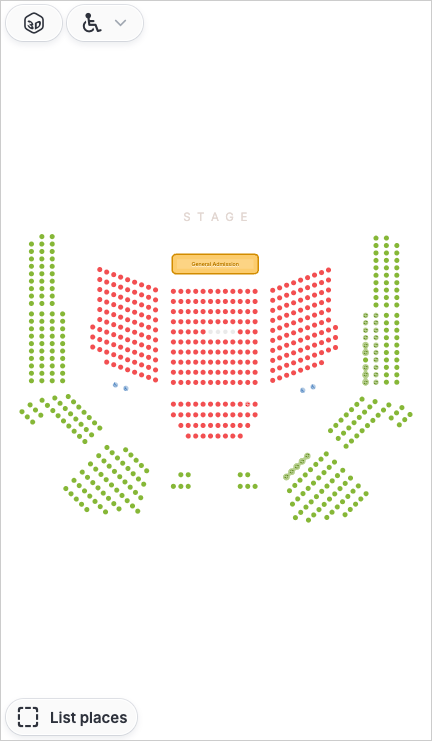
In both cases the step-through starts closed.
stepThrough: {
    display: 'alwaysOn'
}
Keyboard and screen readers
- Tab to the button and press Enter or Space to open the step-through.
- ← and → move through the list. Home and End jump to the first and last entry. The map moves along with the list.
- Enter opens the section or row, or selects the seat.
- Back goes up a level.
- Escape closes the step-through and returns focus to the button that opened it.
Screen readers announce the level the buyer is on (for example "Section A, Rows"), the entry they've moved to, and how many places they've already selected in it.